
Create Campaign
Overview
The Create Campaign API lets you send messages to your users. You can specify the audience for your message in two ways. The first option is to target people based on user events and properties. The second option is to target people based on their user IDs.
For example, you can use this API to send a price drop alert as a push notification to users who have viewed a certain product in the past week. If you have thousands of products and hundreds of thousands of users, this API lets you create a scalable and targeted way to notify your users of price drop alerts.
For more information on API request limit, refer to API Request Limit.
Create Campaign API - Target User Events & Properties
To create a campaign, you have to specify the message, channel, and people to target by their user events and properties. For example, a user event could be a purchase event and the user property could be their location.
This endpoint is limited to 3 requests per second.
Base URL - Target User Events & Properties
Here is an example base URL from the account in the India region:
https://in1.api.clevertap.com/1/targets/create.json
Region
Refer Region for more details.
HTTP Method - Target User Events & Properties
POST
Headers
Refer Headers for more details.
NoteCleverTap supports Liquid personalization for Push Campaigns sent via Create Campaign API. For more information refer Liquid Personalization in Campaign APIs.
Body Parameters - Target User Events & Properties
Mobile Push Notification ParametersThe parameters in bold and marked with * provide additional functionality for creating a push campaign.
| Parameter | Description | Required/Optional | Type | Example Value |
|---|---|---|---|---|
| name | The name of your campaign shown in the CleverTap dashboard. | Required | String | “My Campaign” |
| target_mode | Allows you to specify the type of campaign being created, such as push notifications, web push, email, etc. | Required | String | "Push" |
| labels | A list of labels to attach to the campaign. These labels will be visible in the CleverTap dashboard under campaign details. | Optional | Array of strings | "news", "sports" |
| provider_nick_name | Allows you to specify which vendor/provider to use for your campaign. For each target_mode, you can have multiple providers integrated with CleverTap, and this parameter allows you to select which provider to use for the campaign. For example, you select target_mode = email, and you have integrated both SendGrid and Amazon SNS with CleverTap to send emails. In this scenario, you can set provider_nick_name = SendGrid to send the campaign through SendGrid. This parameter is only for Email, WhatsApp, and SMS. | Required | String | "Provider 1" |
| provider_group_nickname | Allows you to specify which provider group to use for your SMS campaign. You must use the name as added in your account settings | Optional | String | "NewTestSMSProviderGroup" |
| content.sms.template_id | Template ID (required for sending SMS to phone numbers of India) | Optional | String | |
| conversion_goal* | Checks the end goal of the campaign for conversion tracking. | Optional | Object | "conversion_goal":{ "event_name": "Charged", "filter_type":{ "event_property":[ { "property_name":"Items|Book name", "operator":"equals", "property_value":"book name" }, { "property_name":"Items|Category", "operator":"equals", "property_value":"category" }, { "property_name":"Payment mode", "operator":"equals", "property_value":"UPI" }, { "property_name":"Amount", "operator":"between", "property_value":TestSMSProv }, ], "first_time":"yes", "last_time":"yes", "time_of_day":[ "4-0": "**conv], "day_of_week":conve, "day_of_month":cks the end }, "conversion_time":"3D", "revenue_property": "Amount" }, |
| conversion_goal.event_name* | Name of the goal you want to track. | Required if conversion_goal is provided | String | "event_name": "Charged", |
| conversion_goal.filter_type* | Filters for provided event_name The type of filter applied in conversion tracking. For example, first_time, time_of_day and so on. | Required if conversion_goal is provided | Object | "filter_type":{ "event_property": "h-0": "Parameter", "h-1": "Description", "h-2": "Required/Optional", "h-3": "Type", , "first_time":"yes", "last_time":"yes", "time_of_day":quired", "0-3, "day_of_week":ring", "day_of_month": Campaign”" }, |
| Event Property for given event_name. | Optional | List | "event_property":] { "data": { "h-0": "Parameter", "h-1": "Description", "h-2": "Required/Optional", , |
| Name of the event_property. | Optional | String | "property_name":"Items|Book name", |
| Operator required for property_name and property_value. Valid values are: equals greater_than greater_than_equals less_than less_than_equals contains does_not_contain not_equals exists (does not require property_value) does_not_exist (does not require property_value) between (requires 2 values in an array) | Optional | String | "operator":"equals", |
| Provides value of the event_property. | Optional | String | "property_value":"book name" |
| Provides value of the first_time. Valid values are: "yes" "no" | Optional | String | "first_time":"yes", |
| Provides value of last_time. Valid values: "yes" "no" | Optional | String | "last_time":"yes", |
| Provides value of time_of_day. Valid values: [ data": { "h-0": , rameter", "h-1": ] time: "HH:MM" | Optional | List of lists | "time_of_day":[s] { "data": { , "h-0": "Parame,er", "h-1": "], |
| Provides value of day_of_week. Valid values: "data" is "h-0": " | Optional | List | "day_of_week":ers] { |
| Provides value of day_of_month. Valid values: "data": { "h-0" range: 0": "Para | Optional | List | "day_of_month":rs] { "da |
| conversion_goal.conversion_time* | Denotes the period that conversions are tracked for once the campaign is published. where, m: minutes, H: hour, D: day, W: week, M:month | Required if conversion_goal is provided | String | "conversion_time":"3D", |
| conversion_goal.revenue_property* | Denotes the revenue property for conversion goal event. For example, amount, currency, payment mode and so on. | Required if conversion_goal is provided | String | "revenue_property": "Amount" |
| where | Allows you to filter target base on the user events and profile properties. Send an empty object ({}) to target your entire user base. | Required | Object | "where": { } |
| where.event_name | Allows you to target users based on an event they perform. | Optional | String | "Charged" |
| where.from | Start of date range for event needed. Value specified in format YYYYMMDD. | Optional | Int | 20171001 |
| where.to | End of date range for event needed. Value specified in format YYYYMMDD. | Optional | Int | 20171220 |
| where.profile_fields | Allows you to target users based on the values of their profile fields. | Optional | Int | "common_profile_properties": { } |
| estimate_only | If this parameter is set to true, the request returns an estimated reach of the campaign, which is the number of users who receive the notification when you send it out. Setting this parameter to true does not create the campaign. | Optional | Boolean | FALSE |
| async_estimate | This allows setting of the estimate_only flag asynchronously. If this parameter is set to true, it returns a request ID that can be passed in the subsequent API call. | Optional | Boolean | Boolean |
| system_control_group_include | If the system control group is enabled from the dashboard, you can choose to use the control group for API campaigns. | Optional | Boolean | |
| control_group | If the custom control group is enabled from the dashboard, you can choose to use the control group for API campaigns | Optional | String | "control_group": { "type": "custom" "name": "name of control group" } |
| control_group | You can create a campaign control group via API by specifying the % as described on the left | Optional | Integer | "control_group": { "type": "campaign" "percentage": 5 } |
| skip_estimate | Toggle this flag to true if you do not want to estimate the reach. This will lead to faster campaign delivery. | Optional | Boolean | "skip_estimate":true |
| send_to_all_devices | The flag is set to false by default. If no value is specified, then the notification is sent to the last active device. Toggle this flag to true if you want to send notification to all active devices. | Optional | Boolean | FALSE |
| segment | The value for this key is the segment ID. The campaign is created only if the segment is processed. If you add this key, you need not mention the "where" clause key. | Optional | Integer | upper_cap_for_target_segment* |
| upper_cap_for_target_segment* | Do not send the campaign if the target segment exceeds the provided number of users. By default all target segment users are selected. Note: Do not provide this parameter if users_limit_overall is provided. (Minimum value is 100) | Optional | Integer | "upper_cap_for_target_segment” : 500 |
| users_limit_overall* | Send only to the provided number of qualified users. By default all target segment users are selected. Note: Do not provide this parameter if upper_cap_for_target_segment is provided. (Minimum value is 100) | Optional | Integer | “users_limit_overall” : 250 |
| users_limit_per_run* | Send only to the provided number of users per run. | Optional | Integer | "users_limit_per_run":199, |
| send_email_to_opted_out_users | Valid values are: true and false. Set to false by default. When true, emails are sent to all qualified users, including those who have unsubscribed. For more information, refer to Override Communication Preferences for Email. | Optional | Boolean | "send_email_to_opted_out_users":true |
| content | Object that defines the content for your message. | Required | String | "content": { "subject": "Welcome", "body": " Your HTML content for the email ", "sender_name": "CleverTap" } |
| content.title | Title of your push notification message and web push message sent to the user. | Required | String | “Hi” |
| content.body | Body content of your push notification, web push, email and sms sent to the user. | Required | String | “Have you seen the special offer?” |
| content.subject | Subject of your email sent to the user. | Required | String | “Subject” |
| content.sender_name | Sender name for your email sent to the user. | Required | String | “Onboarding” |
| content.attachments | Includes one or more attachments for the email campaign. Each object represents a file and contains the following:
| Optional | Array of Objects | "attachments": [ { "fileName": "test1.jpeg", "fileUrl": "https://d11gh1sd24upek.cloudfront.net/1656678144/assets/1cd726fa4a434bdcbea7beae06c5542a.jpeg" }, { "fileName": "region2.png", "fileUrl": "https://d11gh1sd24upek.cloudfront.net/1568798080/assets/e4ef02a03fe24de7a1d727ad44ff026f.png" } ] |
| content.template_name | Namespace of the WhatsApp template you want to choose. This is available in settings for all the added WhatsApp templates. | Required | String | "662da022_5583_406d_9c71_428d5e3164bb:ticket_update" |
| content.replacements | Add values that replace the placeholders in the templates. | Required | String | "replacements" : { "1" : , "2" : , "3" : } |
| content.header | Allows you to attach images, videos, documents, and locations in your WhatsApp message based on the attachment type defined in your interactive template. | Optional | Object | |
| content.body | Dynamically replaces placeholder values in the body of interactive templates. | Required | Object | |
| content.button | Allows you to dynamically add a suffix to CTA buttons with dynamic URL. | Optional | Object | |
| content.locale | The language code of the message. To get the language code from the CT dashboard, go to Settings > Channels > Whatsapp and open any template. Click the Template tab. The template name displays the locale code in parentheses. For example, Dynamic URL (fr). | Required | String | "fr" for French or "de" for German. |
| wzrk_cid | Platform-specific key that is required to target users on devices running Android O - can be used to determine notification channel to which a given push notification must belong. If a Notification ID is mandatory, then the channel ID is expected. An error occurs if a valid channel ID is not received.
| Required | String | |
| wzrk_bc | Platform-specific key that can be used when targeting users on devices running Android O - can be used to determine the notification count shown on the app icon | Optional | Int | |
| wqrk_bi | Platform-specific key that can be used while targeting users on devices running Android O - can be used to determine which icon should be used. Accepted values: app icon notification icon | Optional | String | |
| wzrk_acts | Android Action Buttons "l"= Action Title, "dl" = Deep link, "id" = Action id, "ico" = icon resource identifier | Optional | Object | "wzrk_acts": [ { "l": "Action button 1", "dl": "deep link for action button 1", "id": "action id of the action button 1", "ico": "Icon resource identifier for action button 1" } ] |
| platform_specific | The platform-specific details for Push and Web Push notification | Optional | String | |
| enable_rendermax | This field helps enable RenderMax when creating a campaign via API. It is available only for Mobile Push campaigns and must be added under the platform_specific key for Android devices only. For more information about the feature, refer to RenderMax. Valid values are: true or false. | Optional | Boolean | "enable_rendermax": true |
| background_image | The parameter to render images in the push notification for Android. | Optional | String | "background_image": "http://example.jpg" |
| notification_tray_priority* | This field helps to set priority for the notification tray in android. Valid values are: "max" "high" "default" | Optional | String | "notification_tray_priority": "max" |
| delivery_priority* | This field helps to set delivery priority of notification in android. Valid values are: "normal" "high" | Optional | String | "delivery_priority": "high" |
| android_collapse* | User can send any string value or number to identify collapsible notification in android. | Optional | String/Integer | "android_collapse" : "any message or number". |
| ios_collapse* | User can send any string value or number to identify collapsible notification in iOS. | Optional | String/Integer | "ios_collapse" : "any message or number" |
| summary* | You can provide summary about the notification you are sending to user valid only in Android. | Optional | String | "summary": "Enter summary here" |
| subtitle* | Subtitle for your notification. | Optional | String | "subtitle": "Enter subtitle" |
| large_icon* | By default, the app icon appears as the large icon. The CleverTap dashboard provides an option to show other icons apart from the app icon. | Optional | String (URL) | "large_icon": "logo.com" |
| Custom KVs* | You can specify it in the platform specific object. | Optional | key-value pair | "platform_specific": { "ios": { "Key": "Value_ios" }, "android": { "Key": "Value_android", } } |
| mutable-content | To raise Notification viewed event for Push notifications, raise the flag to "true" in the platform_specific: iOS section of the request payload. | Optional | Boolean | |
| respect_frequency_caps | Set to false if you want to override frequency caps and dwell time. | Optional | Boolean | TRUE |
| respect_throttle | Toggle this flag to true if you want to enable throttle limits for the campaign. | Optional | Boolean | "respect_throttle":true |
| ttl | This allows setting of time to live for push notifications for android and iOS. More information is available here. | Optional | Depends on subkey ttl_type: string value: Long | For Absolute TTL - "ttl" : { "ttl_type": "absolute", "value" : 202207200000 }, For Relative TTL - "ttl" : { "ttl_type": "relative", "value" : 2880 }, |
| when | When you want to send out the messages. Valid inputs are now (to send the notification right away) or YYYYMMDD HH:MM to schedule the messages for a specific date and time in the future. | Required | String | "now" |
| when* | Allows you to set Date, time and Delivery preferences of the message. | Required | Object | "when":{ "type":"later", "delivery_date_time": ["20230503 15:20"], "h-1": "Description", "delivery_timezone":"user", "user_timezone_wrap_around":true, "dnd":{ "message_state":1, "dnd_timezone":"user", "dnd_info":{ "2": 0-1": "The name o", "4": 0-2": "Required", } }, "campaign_cutoff": "14:20" } |
| when.type* | Valid inputs are "now" or "later" (to send it at a later time) or "recurring". | Required | String | "type" : "later" |
| when.delivery_date_time* | "YYYYMMDD HH:MM" to schedule the messages for a specific date and time in the future in increasing date order only. | Required if when.type = "later" | String | "delivery_date_time": ["20230503 15:20"] |
| when.repeats_every* | Number of days or weeks to be repeated on. | Required if when.type = "recurring" | Integer | "repeats_every" : 2 |
| when.repeat_type* | Can be "day" or "week" Note: Repeat by month is not implemented. | Required if when.type = "recurring" | String | "repeat_type" : "week" |
| when.start_time* | "YYYYMMDD HH:MM" (Cannot provide past date). | Required if when.type = "recurring" | String | "start_time" : "20220415 12:05", |
| when.end_by_date* | "YYYYMMDD", End the campaign after provided date. Note: Either end_by_date or end_by_occurrences can be provided. | Optional Note: This is applicable only if when.type = "recurring" | String | "end_by_date" : "20220420" |
| when.end_by_occurrences* | End the campaign after provided number of occurrences. Note: Either end_by_date or end_by_occurrences can be provided. | Note: This is applicable optional only if when.type = "recurring" | Integer | "end_by_occurrences" : 8 |
| when.repeat_on_days_of_week* | Days of week represented as ": { for h-0": "Parameter". | Required if when.type = "recurring" and repeat_type = "week" | List | "repeat_on_days_of_week" : a": { |
| when.delivery_timezone* | To adapt delivery times to user or account's timezone. | Optional | Boolean | "delivery_timezone":"user" OR "delivery_timezone":"account" |
| when.user_timezone_wrap_around* | If the campaign start time is after a user's local time, then drop the campaign (user_timezone_wrap_around : false) or deliver the campaign the next day (user_timezone_wrap_around : true). | Optional | Boolean | "user_timezone_wrap_around":true |
| dnd* | Do Not Disturb | Optional | Object | "dnd":{ "message_state":"delay", "dnd_timezone":"user", "dnd_info":{ "2": h-1": "Description", "4": h-2": "Required/O" } }, |
| dnd.message_state* | The following are the values for parameter: "delay": Delay message send until the end of DND. "discard" : Discard messages scheduled during DND. Note: By default, messages scheduled during DND are discarded (if message_state is not provided). | Required if DND applicable. | Integer | "message_state":"discard" |
| dnd.dnd_info* | Provides the following information: Format: a": { "h-0": "Parameter", "h-1": "De Day: Denotes the days of week on which the DND is applicable. Format: ": "Paramete is "h-1 value | Required if DND applicable | Object | "dnd_info":{ "2": data": { "h-0, "4": ta": { "h-0": } (2 for monday) |
| dnd.dnd_timezone* | Timezone for DND (user_timezone or account_timezone) | Required if DND applicable | String | "dnd_timezone":"user", OR "dnd_timezone":"account", |
| when.campaign_cutoff* | Stop sending messages from this campaign after a particular time (Campaign Cutoff) Format : "HH:MM" | Optional | String (Time) | "campaign_cutoff": "12:20" |


| Channel (target_mode) | content – Required keys | content – Optional keys | Notes |
|---|---|---|---|
| push (Mobile Push) | title, body | platform_specific.ios (e.g., mutable-content, deep_link, sound_file, ct_mediaUrl, category, badge_count), platform_specific.android (e.g., enable_rendermax, wzrk_cid, background_image, default_sound, deep_link, large_icon) | wzrk_cid/channel ID may be required on Android O+. |
subject, body, sender_name | — | body can be HTML. | |
| sms | body | message_info.<provider_id>.template_id, .header_kvs, .message_kvs | provider_nick_name required for SMS. |
| whatsapp (Template) | message_type = "template", template.template_name, template.language | template.header (if the template has header), template.body, template.buttons | Top-level provider_nick_name and message_id required; respect_communication_preference optional. Replacements count must match template variables. |
| notificationinbox (App Inbox) | template_type, content (array of cards with message/title/action/media as per template) | orientation, custom_kv, time_to_live | content here is an array of card objects, not a flat object. |
Example Payloads :
{
    "name": "My Webpush API campaign",
    "estimate_only": true,
    "target_mode":"webpush",
    "where": {
        "event_name": "Charged",
        "from": 20171001,
        "to": 20171220,
      "common_profile_properties": {
            "profile_fields": [
                {
                    "name": "Customer Type",
                    "operator":"equals",
                    "value": "Platinum"
                }
            ]
        }
    },
    "respect_frequency_caps": false,
    "content": {
        "title": "Hi!",
        "body": "How are you doing today?",
       "platform_specific": {
            "safari": {
                "deep_link": "https://www.google.com",
                "ttl":10
            },
            "chrome": {
              "image": "https://www.exampleImage.com",
              "icon":"https://www.exampleIcon.com",
              "deep_link": "http://www.example.com",
              "ttl":10,
              "require_interaction":true,
              "cta_title1":"title",
              "cta_link1":"http://www.example2.com",
              "cta_iconlink1":"https://www.exampleIcon2.com"
            },
            "firefox": {
            	"icon":"https://www.exampleIcon.com",
                "deep_link": "https://www.google.com",
                "ttl":10
            },
            "kaios": {
              "icon":"https://www.exampleIcon.com",
              "ttl":10,
              "kaiosKV": {
                "key1": "value1",
                "key2": "value2"
              }
           }
        }
    },
    "when": "now"
}
{
"name": "My API Campaign",
"estimate_only": true,
"target_mode":"push",
"conversion_goal":{
"event_name": "Charged",
"filter_type":{
"event_property":[
{
"property_name":"Items|Book name",
"operator":"equals",
"property_value":"book name"
},
{
"property_name":"Amount",
"operator":"equals",
"property_value":3456
},
{
"property_name":"Currency",
"operator":"equals",
"property_value":"USD"
}
],
"first_time":"yes",
"last_time":"yes",
"time_of_day":[["21:00","23:00"],["11:34","12:44"],["13:01","13:40"]],
"day_of_week":[1,7],
"day_of_month":[1,3,16,31]
},
"conversion_time":"1D",
"revenue_property": "Amount"
},
"where": {
"event_name": "App Launched",
"from": 20150101,
"to": 20150303,
"common_profile_properties": {
"profile_fields": [
{
"name": "Customer Type",
"operator":"equals",
"value": "Platinum"
}
]
}
},
"respect_frequency_caps": false,
"ttl": {
"ttl_type": "absolute",
"value" : 202207200000 },
"content": {
"title": "Hi!",
"body": "How are you doing today?",
"platform_specific": {
"ios": {
"mutable-content": "true",
"deep_link": "example.com",
"sound_file": "example.caf",
"category": "application category//Books",
"badge_count": 1,
"Key": "Value_ios"
},
"android": {
"enable_rendermax": true,
"wzrk_cid": "Marketing",
"background_image": "http://example.jpg",
"default_sound": true,
"deep_link": "example.com",
"large_icon": "http://example.png",
"Key": "Value_android",
},
}
}
},
"devices": [
"android",
"ios"
],
"users_limit_overall": 101,
"when":{
"type":"now",
"delivery_timezone":"user",
"user_timezone_wrap_around":true,
"dnd":{
"message_state":"delay",
"dnd_timezone":"user",
"dnd_info":{
"2": ["21:00","06:00"],
"4": ["23:56","04:34"],
"5": ["09:00","09:13"]
}
},
"campaign_cutoff": "08:00"
}
}{
"name": "My Email API campaign",
"estimate_only": true,
"target_mode": "email",
"where": {
"event_name": "Charged",
"from": 20171001,
"to": 20171220,
"common_profile_properties": {
"profile_fields": [
{
"name": "Customer Type",
"operator": "equals",
"value": "Platinum"
}
]
}
},
"respect_frequency_caps": false,
"content": {
"subject": "Welcome",
"body": "<div>Your HTML content for the email</div>",
"sender_name": "CleverTap",
"attachments": [
{
"fileName": "test1.jpeg",
"fileUrl": "https://d11gh1sd24upek.cloudfront.net/1656678144/assets/1cd726fa4a434bdcbea7beae06c5542a.jpeg"
},
{
"fileName": "region2.png",
"fileUrl": "https://d11gh1sd24upek.cloudfront.net/1568798080/assets/e4ef02a03fe24de7a1d727ad44ff026f.png"
}
]
},
"when": "now"
}{
"name": "SMS Header,Message Key Values",
"estimate_only": false,
"target_mode": "sms",
"where": {
"event_name": "Notification Replied",
"from": 20240810,
"to": 20240910,
"common_profile_properties": {
"profile_fields": [
{
"name": "Phone",
"operator": "equals",
"value": "+130123456"
}
]
}
},
"provider_nick_name": "Provider Nickname",
"respect_frequency_caps": false,
"when": "now",
"content": {
"body": "Random Body",
"message_info": {
"1726822661": {
"header_kvs": {
"$$header1": "Header 1",
"$$header2": "Header 2"
},
"message_kvs": {
"$$message1": "Message 1",
"$$message2": "Message 2"
}
}
}
}
}'{
"name": "My Webhook Campaign",
"estimate_only": true,
"target_mode":"webhook",
"where": {
"event_name": "Charged",
"from": 20190101,
"to": 20191220
},
"respect_frequency_caps": false,
"webhook_endpoint_name":"Recommendation Endpoint",
"webhook_fields":["profile-attributes","tokens","identities"],
"webhook_key_value" : {
"k1":"v1",
"k2":"v2"
},
"when": "now"
}{
"name": "api simple test",
"estimate_only": false,
"target_mode":"notificationinbox",
"where": {
"event_name": "Charged",
"from": 20150101,
"to": 20150303
},
"respect_frequency_caps": false,
"send_to_all_devices": true,
"template_type":"simple", // mandatory
"content": [
{
"message":{
"text":"MessageText"
},
"title":{
"text":"titleText"
},
"action":{
"url":{
"android":{
"text":"andmurl"
},
"ios":{
"text":"iosmurl"
}
},
"links":[
{
"type":"copy",
"text":"linkText",
"copyText":{
"text":"copyText"
}
},
{
"type":"url",
"text":"linkText",
"url":{
"android":{
"text":"andLinkurl"
},
"ios":{
"text":"iosLinkurl"
}
}
}
]
},
"media":{
"content_type":"image/jpeg",
"url":"example.com"
}
}
],
"custom_kv":[ //Supported for SDK version 5.2.0 or higher.
{
"key" :"k1",
"value": {
"text": ""
},
"android" : true,
"ios":true
},
{
"key" :"k2",
"value": {
"text": "someValueApi2"
},
"android" : true
}
],
"time_to_live":50,
"tags":[
"abc",
"bcd"
],
"devices": [
"ios",
"android"
],
"when": "now"
}{
"name": "api simple test",
"estimate_only": false,
"target_mode":"notificationinbox",
"where": {
"event_name": "Charged",
"from": 20150101,
"to": 20150303
},
"respect_frequency_caps": false,
"send_to_all_devices": true,
"template_type":"carousel",
"orientation": "p",
"content": [
{
"message":{
"text":"Message1"
},
"title":{
"text":"title1"
},
"action":{
"url":{
"android":{
"text":"andurl1"
},
"ios":{
"text":"iosmurl1"
}
}
},
"media":{
"content_type":"image/jpg",
"url":"example.com"
}
},
{
"message":{
"text":"Message2"
},
"title":{
"text":"title2"
},
"action":{
"url":{
"android":{
"text":"andurl2"
},
"ios":{
"text":"iosmurl2"
}
}
},
"media":{
"content_type":"image/jpg",
"url":"example.com"
}
}
],
"custom_kv":[ //Supported for SDK version 5.2.0 or higher.
{
"key" :"k1",
"value": {
"text": ""
},
"android" : true,
"ios":true
},
{
"key" :"k2",
"value": {
"text": "someValueApi2"
},
"android" : true
}
],
"time_to_live":8,
"tags":[
"abc",
"bcd"
],
"devices": [
"ios",
"android"
],
"when": "now"
}
// media & template_type is mandatory{
"name": "api simple test",
"estimate_only": false,
"target_mode":"notificationinbox",
"where": {
"event_name": "Charged",
"from": 20150101,
"to": 20150303
},
"respect_frequency_caps": false,
"send_to_all_devices": true,
"template_type":"carousel-image",
"orientation": "p",
"content": [
{
"action":{
"url":{
"android":{
"text":"andurl1"
},
"ios":{
"text":"iosmurl1"
}
}
},
"media":{
"content_type":"image/jpg",
"url":"example.com"
}
},
{
"message":{
"text":"Message2"
},
"title":{
"text":"title2"
},
"action":{
"url":{
"android":{
"text":"andurl2"
},
"ios":{
"text":"iosmurl2"
}
}
},
"media":{
"content_type":"image/jpg",
"url":"example.com"
}
}
],
"custom_kv":[ //Supported for SDK version 5.2.0 or higher.
{
"key" :"k1",
"value": {
"text": ""
},
"android" : true,
"ios":true
},
{
"key" :"k2",
"value": {
"text": "someValueApi2"
},
"android" : true
}
],
"time_to_live":8,
"tags":[
"abc",
"bcd"
],
"devices": [
"ios",
"android"
],
"when": "now"
}
// media & template_type is mandatory{
"name": "api app inbox icon",
"estimate_only": false,
"target_mode":"notificationinbox",
"where": {
"event_name": "App Launched",
"from": 20190101,
"to": 20190418
},
"respect_frequency_caps": false,
"send_to_all_devices": true,
"template_type":"message-icon",
"orientation": "p",
"content": [
{
"message":{
"text":"MessageTexticon"
},
"title":{
"text":"titleTextIcon"
},
"action":{
"url":{
"android":{
"text":"andmurl"
},
"ios":{
"text":"iosmurl"
}
},
"links":[
{
"type":"url",
"text":"linktextIcon",
"color":"#000000",
"bg":"#ffff",
"url":{
"android":{
"text":"andlurl"
},
"ios":{
"text":"ioslurl"
}
}
}
]
},
"media":{
"content_type":"image/jpg",
"url":"https://s3.amazonaws.com/ct-demo-images/landscape-2.jpg"
},
"icon":{
"content_type":"image/jpg",
"url":"https://s3.amazonaws.com/ct-demo-images/landscape-2.jpg"
}
}
],
"custom_kv":[ //Supported for SDK version 5.2.0 or higher.
{
"key" :"k1",
"value": {
"text": ""
},
"android" : true,
"ios":true
},
{
"key" :"k2",
"value": {
"text": "someValueApi2"
},
"android" : true
}
],
"time_to_live":50,
"devices": [
"ios",
"android"
],
"when": "now"
}
// template_type is mandatory{
"name": "Standard Whatsapp campaign",
"estimate_only": false,
"target_mode": "whatsapp",
"provider_nick_name": "provider_name",
"where": {
"common_profile_properties": {
"profile_fields": [
{
"name": "email",
"operator": "equals",
"value": "Apple"
}
]
}
},
"respect_frequency_caps":false,
"system_control_group_include":false,
"content":{
"template_name":"otp",
"locale": "en",
"header":{
"type":"text",
"replacements":["test"]
},
"body":{
"replacements":[
"Dummy User"
]
},
"buttons":[
{
"replacements":[
"suffix"
]
}
]
},
"when":"now"
}Following is the JSON payload for the iOS Carousel Push template:
{
  "name": "My API Campaign",
  "estimate_only": false,
  "target_mode": "push",
  "where": {
    "event_name": "App Launched",
    "from": 20250606,
    "to": 20250609
  },
  "respect_frequency_caps": false,
  "content": {
    "title": "TEST!",
    "body": "How are you doing today?",
    "platform_specific": {
      "ios": {
        "mutable-content": "true",
        "deep_link": "example.com",
        "sound_file": "example.caf",
        "category": "CTNotification",
        "badge_count": 1,
        "ct_ContentSlider": {
          "orientation": "landscape",
          "showsPaging": 1,
          "autoPlay": 1,
          "autoDismiss": 1,
          "items": [
            {
              "caption": "caption one",
              "subcaption": "subcaption one",
              "imageUrl": "<https://s3.amazonaws.com/ct-demo-images/landscape-1.jpg>",
              "actionUrl": "<com.clevertap.ctcontent.example://item/one>"
            },
            {
              "caption": "caption two",
              "subcaption": "subcaption two",
              "imageUrl": "<https://s3.amazonaws.com/ct-demo-images/landscape-2.jpg>",
              "actionUrl": "<com.clevertap.ctcontent.example://item/two>"
            }
          ],
          "type": "carousalImg"
        },
        "ct_mediaType": "image",
        "ct_mediaUrl": "<https://s3.amazonaws.com/ct-demo-images/landscape-1.jpg>"
      }
    }
  },
  "devices": ["ios"],
  "when": "now"
}
Following is the JSON payload for WhatsApp interactive message templates:
NoteCurrently, Create Campaign APIs for WhatsApp do not support Carousel templates, Limited Time Offer (LTO) templates, Custom key-value pairs,, and templates with copy code button.
{
    "name": "Interactive Whatsapp Campaign",
    "estimate_only": false,
    "target_mode": "whatsapp",
    "provider_nick_name": "Provider_1", //Mandatory for WhatsApp
    "where": {
        "event_name": "Added To Cart",
        "from": 20200610,
        "to": 20200619,
        "common_profile_properties": {
            "profile_fields": [
                {
                    "name": "Fruit",
                    "operator":"equals",
                    "value": "Apple"
                }
            ]
        }
    },
    "respect_frequency_caps": false,

    "system_control_group_include": false,
    "content": {
        "template_name": "662da022_5583_406d_9c71_428d5e3164bb:ticket_update",
        "locale": "en", //Mandatory for WhatsApp
        "header": {
            "type": "image",
            "media": {
                "url": "https://googl.com/a.jpg/"
            }
        },
        "body": {
            "replacements": []
        }
      },
    "when": "now"
}
{
    "name": "Interactive Whatsapp Campaign",
    "estimate_only": false,
    "target_mode": "whatsapp",
    "provider_nick_name": "Provider_1", //Mandatory for WhatsApp
    "where": {
        "event_name": "Added To Cart",
        "from": 20200610,
        "to": 20200619,
        "common_profile_properties": {
            "profile_fields": [
                {
                    "name": "Fruit",
                    "operator":"equals",
                    "value": "Apple"
                }
            ]
        }
    },
    "respect_frequency_caps": false,

    "system_control_group_include": false,
    "content": {
        "template_name": "662da022_5583_406d_9c71_428d5e3164bb:ticket_update",
        "locale": "en", //Mandatory for WhatsApp
        "header": {
            "type": "text",
            "replacements": ["Dummy User", "22/10/2021"]
        },
        "body": {
            "replacements": ["dummy"]
        }

      },
    "when": "now"
}
{
    "name": "Interactive Whatsapp Campaign",
    "estimate_only": false,
    "target_mode": "whatsapp",
    "provider_nick_name": "Provider_1", //Mandatory for WhatsApp
    "where": {
        "event_name": "Added To Cart",
        "from": 20200610,
        "to": 20200619,
        "common_profile_properties": {
            "profile_fields": [
                {
                    "name": "Fruit",
                    "operator":"equals",
                    "value": "Apple"
                }
            ]
        }
    },
    "respect_frequency_caps": false,

    "system_control_group_include": false,
    "content": {
        "template_name": "662da022_5583_406d_9c71_428d5e3164bb:ticket_update",
        "locale": "en", //Mandatory for WhatsApp
        "header": {
            "type": "document",
            "media": {
                "url": "https://googl.com/a.pdf"
            }
        },
        "body": {
            "replacements": ["Dummy User", "22/10/2021"]
        }
      },
    "when": "now"
}
{
    "name": "Interactive Whatsapp Campaign",
    "estimate_only": false,
    "target_mode": "whatsapp",
    "provider_nick_name": "Provider_1", //Mandatory for WhatsApp
    "where": {
        "event_name": "Added To Cart",
        "from": 20200610,
        "to": 20200619,
        "common_profile_properties": {
            "profile_fields": [
                {
                    "name": "Fruit",
                    "operator":"equals",
                    "value": "Apple"
                }
            ]
        }
    },
    "respect_frequency_caps": false,

    "system_control_group_include": false,
    "content": {
        "template_name": "662da022_5583_406d_9c71_428d5e3164bb:ticket_update",
        "locale": "en", //Mandatory for WhatsApp
        "header": {
            "type": "video",
            "media": {
                "url": "https://googl.com/a.mp4"
            }
        },
        "body": {
            "replacements": ["Dummy User", "22/10/2021"]
        }
      },
    "when": "now"
}
{
    "name": "Interactive Whatsapp Campaign",
    "estimate_only": false,
    "target_mode": "whatsapp",
    "provider_nick_name": "Provider_1", //Mandatory for WhatsApp
    "where": {
        "event_name": "Added To Cart",
        "from": 20200610,
        "to": 20200619,
        "common_profile_properties": {
            "profile_fields": [
                {
                    "name": "Fruit",
                    "operator":"equals",
                    "value": "Apple"
                }
            ]
        }
    },
    "respect_frequency_caps": false,

    "system_control_group_include": false,
    "content": {
        "template_name": "662da022_5583_406d_9c71_428d5e3164bb:ticket_update",
        "locale": "en", //Mandatory for WhatsApp
        "header": {
            "type": "location",
            "media": {
                "latitude": 32.123,
                "longitude": 123.32,
                "name": "facebook ",
                "address": "facebook "
            }
        },
        "body": {
            "replacements": ["Dummy User", "22/10/2021"]
        }
      },
    "when": "now"
}
{
   "name":"Interactive Whatsapp Campaign",
   "estimate_only":false,
   "target_mode":"whatsapp",
   "provider_nick_name": "Provider_1", //Mandatory for WhatsApp
   "where":{
      "event_name":"Added To Cart",
      "from":20200610,
      "to":20200619,
      "common_profile_properties":{
         "profile_fields":[
            {
               "name":"Fruit",
               "operator":"equals",
               "value":"Apple"
            }
         ]
      }
   },
   "respect_frequency_caps":false,
   "system_control_group_include":false,
   "content":{
      "template_name":"662da022_5583_406d_9c71_428d5e3164bb:ticket_update",
      "locale": "en", //Mandatory for WhatsApp
      "header":{
         "type":"location",
         "media":{
            "latitude":32.123,
            "longitude":123.32,
            "name":"facebook ",
            "address":"facebook "
         }
      },
      "body":{
         "replacements":[
            "Dummy User",
            "22/10/2021"
         ]
      },
      "buttons":[
         {
            "replacements":[
             "suffix"
            ]
         }
      ]
   },
   "when":"now"
}
Labels
You can associate one or more labels with a campaign when creating it. Labels make it easier to organize, search, and filter campaigns in the CleverTap dashboard.
Parameters
| Parameter | Description | Required/Optional | Type | Example Value |
|---|---|---|---|---|
| labels | A list of labels to attach to the campaign. These labels will be visible in the CleverTap dashboard under campaign details. | Optional | Array of strings | ["news", "sports"] |
Example Payload with Labels
{
  "name": "Test Labels",
  "estimate_only": false,
  "target_mode": "push",
  "labels": [
    "news",
    "sports"
  ],
  "where": {
    "event_name": "App Launched",
    "from": 20250901,
    "to": 20250931,
    "common_profile_properties": {
      "profile_fields": [
        {
          "name": "Customer Type",
          "operator": "equals",
          "value": "Platinum"
        }
      ]
    }
  },
  "respect_frequency_caps": false,
  "content": {
    "title": "Hi!",
    "body": "How are you doing today?"
  },
  "when": "now"
}
SMS
The Generic Sample Campaign API includes configurations for without Key Values, Key Value in Header Body, Key Value in Message Body, Target Level Key Value & Template ID, with payloads added below.
| Parameter | Description | Required/Optional | Type | Example Value |
|---|---|---|---|---|
| $$header1 | The header key must match the key-value pairs defined in the Provider Setup headers. | Required | String | |
| $$message1 | The message (body) key must match the key-value pairs defined in the Provider Setup body | Required | String | |
| 1726822661 | This is the provider ID given by CleverTap, and you can obtain it from the URL when viewing the provider details in the dashboard or you can reach out to support team or account manager to get this value. | Required | String | |
| name | The name of your campaign shown in the CleverTap dashboard. | Required | String | “My Campaign” |
| provider_nickname | Allows you to specify which vendor/provider to use for your campaign. For each target_mode, you can have multiple providers integrated with CleverTap, and this parameter allows you to select which provider to use for the campaign. For example, you select target_mode = email and you have integrated both SendGrid and Amazon SNS with CleverTap to send emails. In this scenario, you can set provider_nick_name = SendGrid to send the campaign through SendGrid. This parameter is only for Email, WhatsApp, and SMS. | Required | String | "Provider 1" |
| where | Allows you to filter target base on the user events and profile properties. Send an empty object ({}) to target your entire user base. | Required | Object | "where": { } |
| where.event_name | Allows you to target users based on an event they perform. | Optional | String | "charged" |
| where.from | Start of date range for event needed. Value specified in format YYYYMMDD. | Optional | int | 20171001 |
| where.to | End of date range for event needed. Value specified in format YYYYMMDD. | Optional | int | 20171220 |
| where.profile_fields | Allows you to target users based on the values of their profile fields. | Optional | int | "common_profile_properties": { } |
| when | When you want to send out the messages. Valid inputs are now (to send the notification right away) or YYYYMMDD HH:MM to schedule the messages for a specific date and time in the future. | Required | String | "now" |
| content.body | Dynamically replaces placeholder values in the body of interactive templates. | Required | Object |
{
    "name": "Sms Campaign API",
    "estimate_only": true,
    "target_mode": "sms",
    "where": {
        "event_name": "Notification Replied",
        "from": 20240810,
        "to": 20240910,
        "common_profile_properties": {
            "profile_fields": [
                {
                    "name": "Phone",
                    "operator": "equals",
                    "value": "+180123456"
                }
            ]
        }
    },
    "provider_nick_name": "Nick Name",
    "respect_frequency_caps": false,
    "when": "now",
    "content": {
        "body": "Hello User"
    }
}'
{
"name": "Sms Campaign API",
"estimate_only": false,
"target_mode": "sms",
"where": {
"event_name": "Notification Replied",
"from": 20240810,
"to": 20240910,
"common_profile_properties": {
"profile_fields": [
{
"name": "Phone",
"operator": "equals",
"value": "+180123456"
}
]
}
},
"provider_nick_name": "Nick Name",
"respect_frequency_caps": false,
"when": "now",
"content": {
"body": "Hello User",
"message_info": {
"1726821834": {
"header_kvs": {
"$$header1": "Header 1",
"$$header2": "Header 2"
}
}
}
}
}'{
"name": "Sms Campaign API",
"estimate_only": false,
"target_mode": "sms",
"where": {
"event_name": "Notification Replied",
"from": 20240810,
"to": 20240910,
"common_profile_properties": {
"profile_fields": [
{
"name": "Phone",
"operator": "equals",
"value": "+180123456"
}
]
}
},
"provider_nick_name": "Nick Name",
"respect_frequency_caps": false,
"when": "now",
"content": {
"body": "Hello User",
"message_info": {
"1726822153": {
"message_kvs": {
"$$message1": "Message 1",
"$$message2": "Message 2"
}
}
}
}
}'{
"name": "Target Key Value SMS",
"estimate_only": false,
"target_mode": "sms",
"when": "now",
"where": {
"common_profile_properties": {
"profile_fields": [
{
"name": "Phone",
"operator": "equals",
"value": "+180123456"
}
]
}
},
"respect_frequency_caps": false,
"provider_nick_name": "Nick Name",
"content": {
"body": "Hello user",
"message_info": {
"1726823920": {
"template_id": "TEMPLATE ID",
"header_kvs": {
"$$header1": "Header 1",
"$$header2": "Header 2"
},
"message_kvs": {
"targetkey1": "kv value 1",
"targetkey2": "kv value 2",
"$$MessageID": "message ID"
}
}
}
}
}'Example Request - Target User Events & Properties
Here is an example cURL request to the Create Campaign API showing the headers needed to authenticate the request from the account in the India region:
curl -X POST -d ' {"name": "My Sms API campaign","estimate_only": true,"target_mode":"sms", "where":{"event_name":"Charged","from":20171001,"to":20171220,"common_profile_properties":{"profile_fields": [ {"name": "Customer Type","operator":"equals","value": "Platinum"}]}},"respect_frequency_caps": false,"content": { "body": "Sms body"},"when": "now"}' \
"https://in1.api.clevertap.com/1/targets/create.json" \
-H "X-CleverTap-Account-Id: ACCOUNT_ID" \
-H "X-CleverTap-Passcode: PASSCODE" \
-H "Content-Type: application/json"
require 'net/http'
require 'uri'
require 'json'
uri = URI.parse("https://in1.api.clevertap.com/1/targets/create.json ")
request = Net::HTTP::Post.new(uri)
request.content_type = "application/json"
request["X-CleverTap-Account-Id"] = "ACCOUNT_ID"
request["X-CleverTap-Passcode"] = "PASSCODE"
request.body = JSON.dump({
"name" => "My Sms API campaign",
"estimate_only" => true,
"target_mode" => "sms",
"where" => {
"event_name" => "Charged",
"from" => 20171001,
"to" => 20171220,
"common_profile_properties" => {
"profile_fields" => [
{
"name" => "Customer Type",
"operator" => "equals",
"value" => "Platinum"
}
]
}
},
"respect_frequency_caps" => false,
"content" => {
"body" => "Sms body"
},
"when" => "now"
})
req_options = {
use_ssl: uri.scheme == "https",
}
response = Net::HTTP.start(uri.hostname, uri.port, req_options) do |http|
http.request(request)
endimport requests
headers = {
'X-CleverTap-Account-Id': 'ACCOUNT_ID',
'X-CleverTap-Passcode': 'PASSCODE',
'Content-Type': 'application/json',
}
data = ' {"name": "My Sms API campaign","estimate_only": true,"target_mode":"sms", "where":{"event_name":"Charged","from":20171001,"to":20171220,"common_profile_properties":{"profile_fields": [ {"name": "Customer Type","operator":"equals","value": "Platinum"}]}},"respect_frequency_caps": false,"content": { "body": "Sms body"},"when": "now"}'
response = requests.post('https://in1.api.clevertap.com/1/targets/create.json', headers=headers, data=data)<?php
include('vendor/rmccue/requests/library/Requests.php');
Requests::register_autoloader();
$headers = array(
'X-CleverTap-Account-Id' => 'ACCOUNT_ID',
'X-CleverTap-Passcode' => 'PASSCODE',
'Content-Type' => 'application/json'
);
$data = ' {"name": "My Sms API campaign","estimate_only": true,"target_mode":"sms", "where":{"event_name":"Charged","from":20171001,"to":20171220,"common_profile_properties":{"profile_fields": [ {"name": "Customer Type","operator":"equals","value": "Platinum"}]}},"respect_frequency_caps": false,"content": { "body": "Sms body"},"when": "now"}';
$response = Requests::post('https://in1.api.clevertap.com/1/targets/create.json', $headers, $data);var request = require('request');
var headers = {
'X-CleverTap-Account-Id': 'ACCOUNT_ID',
'X-CleverTap-Passcode': 'PASSCODE',
'Content-Type': 'application/json'
};
var dataString = ' {"name": "My Sms API campaign","estimate_only": true,"target_mode":"sms", "where":{"event_name":"Charged","from":20171001,"to":20171220,"common_profile_properties":{"profile_fields": [ {"name": "Customer Type","operator":"equals","value": "Platinum"}]}},"respect_frequency_caps": false,"content": { "body": "Sms body"},"when": "now"}';
var options = {
url: 'https://in1.api.clevertap.com/1/targets/create.json ',
method: 'POST',
headers: headers,
body: dataString
};
function callback(error, response, body) {
if (!error && response.statusCode == 200) {
console.log(body);
}
}
request(options, callback);Example Response - Target User Events & Properties
{
  "status": "success",
  "estimates": {
    "web": 2
  }
}
Example Request - Event Occurrence
{
    "advanced_query": {
        "did_all": [
            {
                "event_name": "App Launched",
                "from": 20200101,
                "to": 20200218,
                "operator": "greater_than_equals",
                "value": 5,
            }
        ]
    }
}
Create Campaign API - Target Users by their Identities
You can send notifications to your users based on their Facebook ID, Email ID, custom-defined identity, or CleverTap ID.
You can message 1000 users per API request.
Base URL - Target Users by their Identities
The endpoint is different based on the channel you are sending the message.
Following are some example base URLs from the account in the India region:
SMS
https://in1.api.clevertap.com/1/send/sms.json
Push
https://in1.api.clevertap.com/1/send/push.json
Web Push
https://in1.api.clevertap.com/1/send/webpush.json
Email
https://in1.api.clevertap.com/1/send/email.json
RegionThese are some example base URLs from the account in the India region. To know the API endpoint for your account, refer to Region.
WhatsApp
https://in1.api.clevertap.com/1/send/whatsapp.json
HTTP Method - Target Users by their Identities
POST
Headers - Target Users by their Identities
These headers are all required. The X-CleverTap-Account-Id and X-CleverTap-Passcode are used to authenticate the request. Please see the authentication guide to see how to get their values.
| Header | Description | Type | Example Value |
|---|---|---|---|
| X-CleverTap-Account-Id | Your CleverTap Account ID. | string | "X-CleverTap-Account-Id: ACCOUNT_ID" |
| X-CleverTap-Passcode | Your CleverTap Account Passcode. | string | "X-CleverTap-Passcode: PASSCODE" |
| Content-Type | Request content-type should always set to application/json; charset=utf-8. | string | "Content-Type: application/json;charset=utf-8" |
Body Parameters - Target Users by their Identities
The body is uploaded as a JSON payload.
to, name, title, body, subject, sender_name, and target_mode are required parameters.
The to parameter is an object that has the following child properties: FBID, Email, Identity, objectId, which are used as identifiers to target your users. Each request can contain a max of 1000 users across these identifiers.
| Parameter | Description | Required | Type | Example Value |
|---|---|---|---|---|
| to | Used to define which users will receive the message. | required | object | "to": { "FBID": "h-0": "Parameter", "h-1", |
| to.FBID | Facebook ID for user. | required | array of strings | "to": { "FBID": "h-0": "Parameter", "h-1" } |
| to.Email | Email identifier for user. | required | array of strings | { "to": { "Email": h-0": "Parameter", "h-1": "Description", "h-2" } |
| to.Identity | Custom-defined identifier for user. | required | array of strings | { "to": { "Identity": -0": "Parameter", "h-1" } |
| to.objectId | CleverTap identifier for user. | required | array of strings | { "to": { "objectId": ": "Parameter", "h-1" } |
| tag_group |
| optional (either use tag _group or campaign_id) | string | "my tag group" |
| content | Object that defines the content for your message. | required | object | "content": { "subject": "Welcome", "body": " Your HTML content for the email ","sender_name": "CleverTap" } |
| content.title | Title content of your push notification message and web push message which is sent to the user. | required | string | "Hi" |
| content.body | Body content of your push notification, web push, email, and sms, which is sent to the user. | required | string | “Have you seen the special offer?” |
| content.subject | Subject content of your email, which is sent to the user. | required | string | "Subject" |
| content.sender_name | Sender name for your email, which is sent to the user. | required | string | “Onboarding” |
| content.attachments | Includes one or more attachments for the email campaign. Each object represents a file and contains the following:
| Optional | Array of Objects | "attachments": [ { "fileName": "test1.jpeg", "fileUrl": "https://d11gh1sd24upek.cloudfront.net/1656678144/assets/1cd726fa4a434bdcbea7beae06c5542a.jpeg" }, { "fileName": "region2.png", "fileUrl": "https://d11gh1sd24upek.cloudfront.net/1568798080/assets/e4ef02a03fe24de7a1d727ad44ff026f.png" } ] |
| content.message_type | Type of the message. These can be two types: 1. Template - Use when you are using a template to trigger the message 2. Freeform - When you are replying back to the user. | Required (Applicable only for WhatsApp) | String | "template" or "Freeform" |
| content.template | Contains all the information about the message content in the template. | Required(Applicable only for WhatsApp) | Object | "template": { } |
| content.template.template_name | Name of the template used | Required(Applicable only for WhatsApp) | String | "video_Template_1" |
| content.template.language | Language code for the language used to create the template. For more information, see Meta Message Templates | Required(Applicable only for WhatsApp) | String | "en" |
| content.template.header | Content information about the header used in the template. Used only if the template is using headers. | Required (Applicable only for WhatsApp) | Object | "header": { "type": "image", "media": { "url": "https://ia800701.us.archive.org/26/items/SampleVideo1280x7205mb/SampleVideo_1280x720_5mb.jpg" } }, For more header types, refer to the examples. |
| content.template.header.type | Type of the header (for example, video, image, location, text, or document). | Required (Applicable only for WhatsApp) | String | "video" |
| content.template.header.media | Media-related information (URL of the video) | Required (Applicable only for WhatsApp) | Object | "header": { "type": "image", "media": { "url": "https://ia800701.us.archive.org/26/items/SampleVideo1280x7205mb/SampleVideo_1280x720_5mb.jpg" } }, For more header types, refer to the examples. |
| content.template.header.replacements | Replacement Object for text headers. Applicable only for text headers. | Required (Applicable only for WhatsApp) | Object | "header": {
|
| content.template.body | Body section of the template | Required (Applicable only for WhatsApp) | Object | "body": { "type": "text", "replacements": [ "Var 1", "Var 2" ] } |
| content.template.body.type | Type of the body (text in this case) | Required(Applicable only for WhatsApp) | String | "text" |
| content.template.body.replacements | Replacement variables in the body. A replacement value is required for each dynamic variable in the body. | Required(Applicable only for WhatsApp) | Array | ["var1", "Var2"] |
| content.template.buttons | Button-related information | Required(Applicable only for WhatsApp) | Array | "buttons": [ { "replacements": [ "quick reply custom payload 1" ] }, { "replacements": [ "quick reply custom payload 2" ] } ] |
| provider_nick_name | Allows you to specify which vendor/provider to use for your campaign. For each target_mode, you can have multiple providers integrated with CleverTap, and this parameter allows you to select which provider to use for the campaign. For example, you select target_mode = email and you have integrated both SendGrid and Amazon SNS with CleverTap to send emails. In this scenario, you can set provider_nick_name = SendGrid to send the campaign through SendGrid. This parameter is required for WhatsApp and SMS. | Required | string | "Provider 1" |
| respect_frequency_caps | Set to false if you want to override frequency caps. | optional | boolean | false |
| send_email_to_opted_out_users | Valid values are: true and false. Set to false by default. When true, emails are sent to all qualified users, including those who have unsubscribed. For more information, refer to Override Communication Preferences for Email. | optional | boolean | "send_email_to_opted_out_users":true |
| wzrk_cid | Platform specific key that is required to target users on devices running Android O - can be used to determine notification channel to which a given push notification must belong. If a Notification ID is mandatory then the channel ID is expected. An error occurs if a valid channel ID is not received. | mandatory | string | |
| badge_id | Platform specific key that can be used while targeting users on devices running Android O - can be used to determine the notification count shown on the app icon | optional | int | |
| badge_icon | Platform specific key that can be used while targeting users on devices running Android O - can be used to determine which icon should be used. Accepted values | optional | string | |
| mutable-content | To raise Notification viewed event for Push notifications, raise the flag to "true" in the platform_specific: ios section of the request payload. | optional | boolean | |
| platform_specific | The platform-specific details for Push and Web Push notification | optional | string | |
| background_image | The parameter to render images in the push notification for Android. | Optional | string | |
| ct_mediaUrl | The parameter to render images in the push notification for iOS. | Optional | string | |
| wzrk_clr | A platform-specific key that can be used to set color for small icons in push notifications. | optional | string |
|
| respect_communication_preference | Send this value as False to override the communication preferences of the user. For example, transaction updates, user replies, and so on. Check that you do not breach any compliance regulations by overriding the user communication preferences. | Optional (Applicable only for WhatsApp) | Boolean | False |
| message_id | A unique identifier to track the status of each message sent to the end user. The limit is 8 characters. | Required(Applicable only for WhatsApp) | String | "4536tsytr" |

Below are example payloads for Web Push, Push Notification, Email, SMS, and WhatsApp.
{
    "to": {
        "FBID": [
            "102029292929388",
            "114342342453463"
        ],

        "Email": [
            "[email protected]",
            "[email protected]"
        ],
        "Identity": [
            "JohnDoe"
        ],
        "objectId": [
            "_asdnkansdjknaskdjnasjkndja",
            "-adffajjdfoaiaefiohnefwprjf"
        ]
    },
    "tag_group": "my tag group",
		"campaign_id": 1000000043,
    "respect_frequency_caps": false,
     "content": {
        "title": "Hi!",
        "body": "How are you doing today?",
       "platform_specific": {
            "safari": {
                "deep_link": "https://www.google.com",
                "ttl":10
            },
            "chrome": {
              "image": "https://www.exampleImage.com",
              "icon":"https://www.exampleIcon.com",
              "deep_link": "http://www.example.com",
              "ttl":10,
              "require_interaction":true,
              "cta_title1":"title",
              "cta_link1":"http://www.example2.com",
              "cta_iconlink1":"https://www.exampleIcon2.com"
            },
            "firefox": {
            	"icon":"https://www.exampleIcon.com",
                "deep_link": "https://www.google.com",
                "ttl":10
            }
        }
    }
}
{
"to": {
"FBID": [
"102029292929388",
"114342342453463"
],
"GPID": [
"1928288389299292"
],
"Email": [
"[email protected]",
"[email protected]"
],
"Identity": [
"JohnDoe"
],
"objectId": [
"_asdnkansdjknaskdjnasjkndja",
"-adffajjdfoaiaefiohnefwprjf"
]
},
"tag_group": "my tag group",
"respect_frequency_caps": false,
"content": {
"title": "Welcome",
"body": "Hello world!",
"platform_specific": {
"ios": {
"deep_link": "example.com",
"sound_file": "example.caf",
"mutable-content": "true",
"ct_mediaUrl": "https://i.ibb.co/pJ8D5Z7/woman-g40aa99db5-1920.jpg",
"category": "notification category",
"badge_count": 1,
"key": "value_ios"
},
"android": {
"background_image": "http://example.jpg",
"default_sound": true,
"deep_link": "example.com",
"large_icon": "http://example.png",
"key": "value_android"
}
}
}
}{
"to": {
"FBID": [
"102029292929388",
"114342342453463"
],
"GPID": [
"1928288389299292"
],
"Email": [
"[email protected]",
"[email protected]"
],
"Identity": [
"JohnDoe"
],
"objectId": [
"_asdnkansdjknaskdjnasjkndja",
"-adffajjdfoaiaefiohnefwprjf"
]
},
"tag_group": "my tag group",
"respect_frequency_caps": false,
"send_email_to_opted_out_users": true,
"content": {
"subject": "Welcome",
"body": "<div>Your HTML content for the email</div>",
"sender_name": "CleverTap",
"attachments": [
{
"fileName": "test1.jpeg",
"fileUrl": "https://d11gh1sd24upek.cloudfront.net/1656678144/assets/1cd726fa4a434bdcbea7beae06c5542a.jpeg"
},
{
"fileName": "region2.png",
"fileUrl": "https://d11gh1sd24upek.cloudfront.net/1568798080/assets/e4ef02a03fe24de7a1d727ad44ff026f.png"
}
]
}
}{
"to": {
"FBID": [
"102029292929388",
"114342342453463"
],
"GPID": [
"1928288389299292"
],
"Email": [
"[email protected]",
"[email protected]"
],
"Identity": [
"JohnDoe"
],
"objectId": [
"_asdnkansdjknaskdjnasjkndja",
"-adffajjdfoaiaefiohnefwprjf"
]
},
"tag_group": "my tag group",
"respect_frequency_caps": false,
"content": {
"body": "Sms body"
}
}{
"to": {
"Identity": [
"[email protected]"
]
},
"tag_group": "Tag Group 1",
"provider_nick_name": "Provider_1",
"respect_frequency_caps": false,
"message_id": "4536tsytr",
"respect_communication_preference": true,
"content": {
"message_type": "template",
"template": {
"template_name": "video_Template_1",
"header": {
"type": "video",
"media": {
"url": "https://ia800701.us.archive.org/26/items/SampleVideo1280x7205mb/SampleVideo_1280x720_5mb.mp4"
}
},
"body": {
"type": "text",
"replacements": [
"var1",
"Var2"
]
},
//dynamic redirection CTA
"buttons": [
{
"replacements": [
"CTA_var"
]
}
],
"language": "en"
}
}
}Following is the JSON payload for WhatsApp interactive message templates:
Note
Currently, Create Campaign APIs for WhatsApp do not support Carousel templates, Limited Time Offer (LTO) templates, Custom key-value pairs, and templates with copy code button.
{
  "to": {
    "Identity": [
      "[email protected]"
    ]
  },
  "tag_group": "Tag Group 1",
  "provider_nick_name": "Provider_1",
  "respect_frequency_caps": false,
  "message_id": "4536tsytr",
  "respect_communication_preference": true,
  "content": {
    "message_type": "template",
    "template": {
      "template_name": "Image_Template_1",
      "header": {
        "type": "image",
        "media": {
          "url": "https://ia800701.us.archive.org/26/items/SampleVideo1280x7205mb/SampleVideo_1280x720_5mb.jpg"
        }
      },
      "body": {
        "type": "text",
        "replacements": [
          "var1",
          "Var2"
        ]
      },
      "language": "en"
    }
  }
}
{
    "to": {
        "Identity": [
            "[email protected]"
        ]
    },
     "tag_group": "Tag Group 1",
    "provider_nick_name": "Provider_1",
    "respect_frequency_caps":false,
    "message_id": "4536tsytr",
    "respect_communication_preference":true,
    "content": {
        "message_type": "template",
        "template": {
            "template_name": "video_Template_1",
            "language": "en",
              "header": {
                "type": "video",
                "media": {
                    "url": "https://ia800701.us.archive.org/26/items/SampleVideo1280x7205mb/SampleVideo_1280x720_5mb.mp4"
                }
            },
            "body": {
                "type": "text",
                "replacements": ["var1","Var2"]
            }


        }
    }
}
{
    "to": {
        "Identity": [
            "[email protected]"
        ]
    },
     "tag_group": "Tag Group 1",
    "provider_nick_name": "Provider_1",
    "respect_frequency_caps":false,
    "message_id": "4536tsytr",
    "respect_communication_preference":true,
    "content": {
        "message_type": "template",
        "template": {
            "template_name": "document_Template_1",
            "language": "en",
              "header": {
                "type": "document",
                "media": {
                    "url": "http://www.ecommercecompany/allproducts/pdf/productcatalog.pdf"
                }
            },
            "body": {
                "type": "text",
                "replacements": ["var1","Var2"]
            }


        }
    }
}
{
  "to": {
    "Identity": [
      "[email protected]"
    ]
  },
  "tag_group": "Tag1",
  "provider_nick_name": "WhatsApp Provider",
  "message_id": "4764387",
  "respect_frequency_caps": false,
  "content": {
    "message_type": "template",
    "template": {
      "template_name": "shipping_order",
      "header": {
        "type": "text",
        "replacements": [
          "header var 1",
          "header var 2"
        ]
      },
      "body": {
        "type": "text",
        "replacements": [
          "1"
        ]
      },
                   // No need to mention footers info in API payload
            // Requirements are required only if you want to send custom payloads in the quick reply button. ds
      "buttons": [
        {
          "replacements": [
            "jack"
          ]
        }
      ],
      "language": "en_US"
    }
  }
}
{
"to": {
"Identity": [
"[email protected]"
]
},
"tag_group": "Tag Group 1",
"provider_nick_name": "Provider_1",
"respect_frequency_caps":false,
"message_id": "4536tsytr",
"respect_communication_preference":true,
"content": {
"message_type": "template",
"template": {
"template_name": "location_Template_1",
"language": "en",
"header": {
"type": "location",
"media": {
"longitude": 80.82947469999999,
"latitude": 16.0174248,
"name": "johnhouse",
"address": "johnhouse, New York, 522265, India",
"url": "https://maps.google.com/?q=Repalle,+New+York+522265,+America&ftid=0x3a49f59a2391c549:0xfe237504b0eca607"
}
},
"body": {
"type": "text",
"replacements": ["var1","Var2"]
}
}
}
}
{
  "to": {
    "Identity": [
      "[email protected]"
    ]
  },
  "tag_group": "Tag Group 1",
  "provider_nick_name": "Provider_1",
  "respect_frequency_caps": false,
  "message_id": "4536tsytr",
  "respect_communication_preference": true,
  "content": {
    "message_type": "template",
    "language": "en",
    "template": {
      "template_name": "Image_Template_1",
      "header": {
        "type": "image",
        "media": {
          "url": "https://ia800701.us.archive.org/26/items/SampleVideo1280x7205mb/SampleVideo_1280x720_5mb.jpg"
        }
      },
      "body": {
        "type": "text",
        "replacements": [
          "var1",
          "Var2"
        ]
      },
          //example CTA URL: www.example.com/{{1}}
      "buttons": [
        {
          "replacements": [
            "CTA"
          ]
        }
      ]
    }
  }
}
{
"to": {
"Identity": [
"[email protected]"
]
},
"tag_group": "Tag Group 1",
"provider_nick_name": "Provider_1",
"respect_frequency_caps": false,
"message_id": "4536tsytr",
"respect_communication_preference": true,
"content": {
"message_type": "template",
"language": "en",
"template": {
"template_name": "Image_Template_1",
"header": {
"type": "image",
"media": {
"url": "https://ia800701.us.archive.org/26/items/SampleVideo1280x7205mb/SampleVideo_1280x720_5mb.jpg"
}
},
"body": {
"type": "text",
"replacements": [
"var1",
"Var2"
]
},
"buttons": [
{
"replacements": [
"mvi qr payload 5"
]
},
{
"replacements": [
"mvi qr payload 7"
]
}
]
}
}
}{
"to": {
"Identity": [
"[email protected]"
]
},
"tag_group": "whatsapp initial tag group",
"provider_nick_name": "provider_1",
"respect_frequency_caps": false,
"message_id": "4536tsytr",
"respect_communication_preference": true,
"content": {
"message_type": "freeform",
"freeform": {
"body": {
"type": "text",
"text": "Hi, How can we help you"
}
}
}
}{
"to": {
"Identity": [
"[email protected]"
]
},
"tag_group": "whatsapp initial tag group",
"provider_nick_name": "provider_1",
"respect_frequency_caps": false,
"message_id": "4536tsytr",
"respect_communication_preference": true,
"content": {
"message_type": "freeform",
"freeform": {
"body": {
"type": "image",
"media": {
"url": "https://d2h5ndkimzo5f0.cloudfront.net/dist/1655455488/i/d024319ee2bf46cdbafbbe0d02afdb00.jpeg?v=1686580980",
"caption": "example caption"
}
}
}
}
}{
"to": {
"Identity": [
"[email protected]"
]
},
"tag_group": "whatsapp initial tag group",
"provider_nick_name": "provider_1",
"respect_frequency_caps": false,
"message_id": "4536tsytr",
"respect_communication_preference":true,
"content": {
"message_type": "freeform",
"freeform": {
"body": {
"type": "video",
"media": {
"url": "https://d2h5ndkimzo5f0.cloudfront.net/dist/1655455488/i/d024319ee2bf46cdbafbbe0d02afdb00.mp4?v=1686580980",
"caption": "example caption"
}
}
}
}
}
{
    "to": {
        "Identity": [
           "[email protected]"
        ]
    },
    "tag_group": "whatsapp initial tag group",
    "provider_nick_name": "provider_1",
    "respect_frequency_caps": false,
    "message_id": "4536tsytr",
    "respect_communication_preference":true,
    "content": {
        "message_type": "freeform",
        "freeform": {
            "body": {
                "type": "audio",
                "media": {
                    "url": "https://d2h5ndkimzo5f0.cloudfront.net/dist/1655455488/i/d024319ee2bf46cdbafbbe0d02afdb00.mp3?v=1686580980",
                }
            }
        }
    }
}
{
    "to": {
        "Identity": [
           "[email protected]"
        ]
    },
    "tag_group": "whatsapp initial tag group",
    "provider_nick_name": "provider_1",
    "respect_frequency_caps": false,
    "message_id": "4536tsytr",
    "respect_communication_preference":true,
    "content": {
        "message_type": "freeform",
        "freeform": {
            "body": {
                "type": "document",
                "media": {
                    "url": "https://d2h5ndkimzo5f0.cloudfront.net/dist/1655455488/i/31f19b65c9df40a2acc72034e5231922.pdf?v=1686589587",
                    "filename": "example.pdf"
                }
            }
        }
    }
}
{
    "to": {
        "Identity": [
           "[email protected]"
        ]
    },
    "tag_group": "whatsapp initial tag group",
    "provider_nick_name": "provider_1",
    "respect_frequency_caps": false,
    "message_id": "4536tsytr",
    "respect_communication_preference":true,
    "content": {
        "message_id": "1234589",
        "message_type": "freeform",
        "freeform": {
            "body": {
                "type": "location",
                "media": {
                    "longitude": 80.82947469999999,
                    "latitude": 16.0174248,
                    "name": "johnhouse",
                    "address": "Johnhouse, New York, 522265, India",
                    "url": "https://maps.google.com/?q=Repalle,+New+York+522265,+America&ftid=0x3a49f59a2391c549:0xfe237504b0eca607"
                }
            }
        }
    }
}
Example Request - Target Users by their Identities
Here is an example cURL request to the Create Campaign API showing the headers needed to authenticate the request from the account in the India region:
curl -X POST -d '{"to":{"FBID":["102029292929388","114342342453463"],"Email":["[email protected]","[email protected]"],"Identity":["JohnDoe"],"objectId":["_asdnkansdjknaskdjnasjkndja","-adffajjdfoaiaefiohnefwprjf"]},"campaign_id":1000000043,"tag_group":"mytaggroup","respect_frequency_caps":false,"content":{"body":"Smsbody"}}' \
"https://in1.api.clevertap.com/1/send/sms.json" \
-H "X-CleverTap-Account-Id: ACCOUNT_ID" \
-H "X-CleverTap-Passcode: PASSCODE" \
-H "Content-Type: application/json"
require 'net/http'
require 'uri'
require 'json'
uri = URI.parse("https://in1.api.clevertap.com/1/send/sms.json")
request = Net::HTTP::Post.new(uri)
request.content_type = "application/json"
request["X-CleverTap-Account-Id"] = "ACCOUNT_ID"
request["X-CleverTap-Passcode"] = "PASSCODE"
request.body = JSON.dump({
"to" => {
"FBID" => [
"102029292929388",
"114342342453463"
],
"Email" => [
"[email protected]",
"[email protected]"
],
"Identity" => [
"JohnDoe"
],
"objectId" => [
"_asdnkansdjknaskdjnasjkndja",
"-adffajjdfoaiaefiohnefwprjf"
]
},
"tag_group" => "mytaggroup",
"respect_frequency_caps" => false,
"content" => {
"body" => "Smsbody"
}
})
req_options = {
use_ssl: uri.scheme == "https",
}
response = Net::HTTP.start(uri.hostname, uri.port, req_options) do |http|
http.request(request)
endimport requests
headers = {
'X-CleverTap-Account-Id': 'ACCOUNT_ID',
'X-CleverTap-Passcode': 'PASSCODE',
'Content-Type': 'application/json',
}
data = '{"to":{"FBID":["102029292929388","114342342453463"],"Email":["[email protected]","[email protected]"],"Identity":["JohnDoe"],"objectId":["_asdnkansdjknaskdjnasjkndja","-adffajjdfoaiaefiohnefwprjf"]},"tag_group":"mytaggroup","respect_frequency_caps":false,"content":{"body":"Smsbody"}}'
response = requests.post('https://in1.api.clevertap.com/1/send/sms.json', headers=headers, data=data)<?php
include('vendor/rmccue/requests/library/Requests.php');
Requests::register_autoloader();
$headers = array(
'X-CleverTap-Account-Id' => 'ACCOUNT_ID',
'X-CleverTap-Passcode' => 'PASSCODE',
'Content-Type' => 'application/json'
);
$data = '{"to":{"FBID":["102029292929388","114342342453463"],"Email":["[email protected]","[email protected]"],"Identity":["JohnDoe"],"objectId":["_asdnkansdjknaskdjnasjkndja","-adffajjdfoaiaefiohnefwprjf"]},"tag_group":"mytaggroup","respect_frequency_caps":false,"content":{"body":"Smsbody"}}';
$response = Requests::post('https://in1.api.clevertap.com/1/send/sms.json', $headers, $data);var request = require('request');
var headers = {
'X-CleverTap-Account-Id': 'ACCOUNT_ID',
'X-CleverTap-Passcode': 'PASSCODE',
'Content-Type': 'application/json'
};
var dataString = '{"to":{"FBID":["102029292929388","114342342453463"],"GPID":["1928288389299292"],"Email":["[email protected]","[email protected]"],"Identity":["JohnDoe"],"objectId":["_asdnkansdjknaskdjnasjkndja","-adffajjdfoaiaefiohnefwprjf"]},"tag_group":"mytaggroup","respect_frequency_caps":false,"content":{"body":"Smsbody"}}';
var options = {
url: 'https://in1.api.clevertap.com/1/send/sms.json',
method: 'POST',
headers: headers,
body: dataString
};
function callback(error, response, body) {
if (!error && response.statusCode == 200) {
console.log(body);
}
}
request(options, callback);Example Response - Target Users by their Identities
A successful response implies payload validity and addition to the processing queue. Message delivery is handled by the provider (push or email) and depends on if you provided a valid recipient id.
Errors
If there are errors, you will receive a response in the format below.
Following are the possible error codes:
| Error Code | Error Message | Troubleshooting Steps |
|---|---|---|
| 21 | "to" is a mandatory field" | Check if the to field in the payload is missing recipient records. |
| 73 | respect_frequency_caps | The value must be Boolean. |
| 76 | "tag_group" has to be string | Check if the value for tag group is string. |
| 76 | "message_type" has to be string | Check if the value for the Message Type is string. |
| 78 | Invalid payload pls update and try again | Invalid JSON payload. Verify the payload. |
| 84 | "Invalid recipients" | Recipient information mentioned in the payload does not exist in the CleverTap dashboard. |
| 89 | Unexpected error, please try again | The message failed to send due to an unknown error. Try again. If the error persists, open a support ticket from the dashboard. |
| 89 | The WhatsApp provider you've selected is not supported with your current WhatsApp add-on. To use this provider, please enable the WhatsApp Connect add-on |
|
| 89 | The WhatsApp provider you've selected is not supported with your current WhatsApp add-on. To use this provider, please enable the WhatsApp Direct add-on |
|
| 89 | "provider_nick_name" can't be empty | The provider nick name is mandatory for WhatsApp campaigns. Check if the provider_nick_name is missing or empty. |
| 89 | The provider_nick_name used in request does not exist in your account. | Check if the provider used in the message payload exists in the CleverTap dashboard. To check, navigate to Settings > Channel > WhatsApp. |
| 89 | "message_id" length can't be greater than 8 | Check if the length of the message ID is greater than 8 characters. |
| 89 | "message_id" can't be empty | Check if the value for the Message ID is missing. |
| 89 | Received invalid message type | The only accepted values are "template" or "freeform". |
| 89 | Template not found for the specified provider | Check if the template used in the payload exists for the specified provider. Navigate to Settings > Channel > WhatsApp> [provider name] to check the template. To fix this, either use a provider that has the specified template or use the template that is available for the provider mentioned in the payload. |
| 89 | Template name is mandatory | Check if the template name is missing or empty. |
| 89 | Invalid number of body/header/button replacements specified, the body/header/button has [n] replacement(s). | The number of variables and values in the payload must match for body, header, or button. |
View Campaigns Created Through APIs
To view campaigns created through APIs:
- Navigate to the Campaigns section from the CleverTap dashboard. The list of campaign displays.
- Click the Filter icon > Created by filter and select the serverapi<channel name> option.
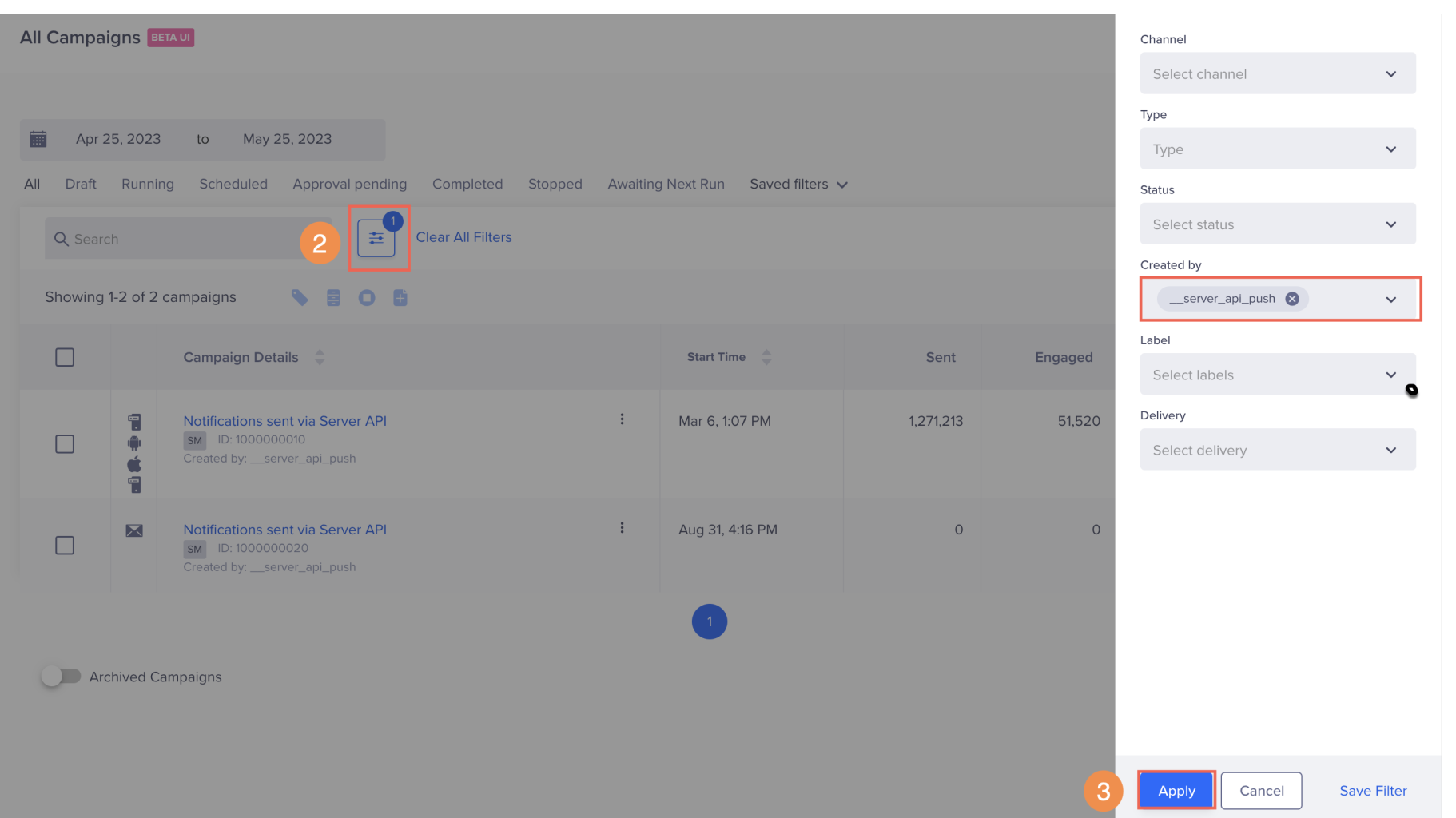
- Click Apply. All the related campaigns are displayed.
- Click any of the campaigns to view details and stats.
Unsubscribe Link for Emails
If you’re using Amazon SES or your own SMTP gateway, you’ll have to follow the steps listed on this page to enable your users to unsubscribe from your email notifications.
FAQs
To understand the common queries and concerns related to CleverTap APIs, refer to API FAQs.
Updated about 1 month ago